
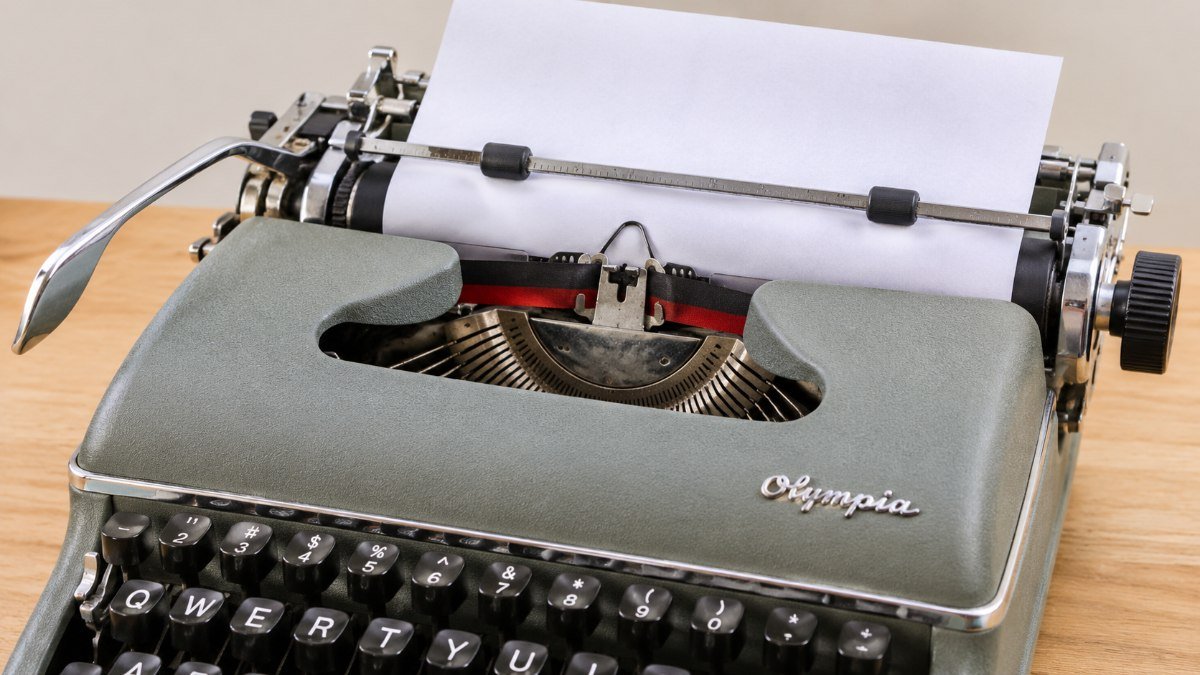
7 Safe Checks When Your Typewriter Won’t Feed Paper
1. Check That the Paper Release Lever Is in the Normal Typing Position
The paper release lever allows you to straighten or remove paper without dragging it through the rollers.
If the lever remains in its released position, the feed rollers may not hold the paper firmly enough for normal operation.
Locate this control using your machine’s instruction manual. Return it gently to the normal typing position and try loading a fresh sheet.
The Olympia Traveller instruction manual, for example, describes using the paper release control when aligning paper.
Lever locations and operating directions vary between models. Do not force a control that feels unusually stiff.
2. Make Sure You Are Loading the Paper Correctly
Start with a clean, flat sheet of ordinary printer paper. Avoid folded corners, curled edges, labels and unusually thick card during troubleshooting.
Position the sheet against the paper guide and insert it into the normal loading area behind the platen. Turn the platen knob gently while keeping the sheet aligned.
If your model has a paper bail or paper fingers that need to be lifted or positioned during loading, follow the manufacturer’s instructions.
Once the paper emerges, return the bail or paper fingers to their normal holding position, where fitted.
If the leading edge repeatedly catches or tears, stop. Continuing to push may create a larger obstruction.
3. Try a Fresh Sheet With a Backing Sheet
If a single sheet slips, try placing a second sheet of ordinary printer paper behind it, provided your machine permits multiple sheets.
The additional thickness may help the paper feed on some older machines. A backing sheet can also provide cushioning when typing against a hardened platen.
However, this is a troubleshooting test, not a permanent repair. If your machine only feeds paper when additional thickness is introduced, the rubber components or roller pressure may require attention.
4. Inspect the Condition of the Platen
Vintage typewriter rubber can deteriorate over time. A platen that was originally resilient may become hard, smooth or glazed.
Richard Polt’s Basic Typewriter Restoration guide identifies hardened, slippery platen rubber as a possible cause of poor paper grip.
With the machine stationary, visually inspect the accessible surface. Look for cracks, obvious wear or unusually shiny areas.
These observations are useful clues, but appearance alone cannot confirm the condition of the rubber.
Do not apply oils, brake fluid, aggressive solvents or abrasive materials as a beginner repair. A specialist can assess whether cleaning, replacement or professional rubber recovery is appropriate.
5. Consider Worn or Flattened Feed Rollers
The smaller feed rollers can also deteriorate. Some develop flattened areas after spending years pressed against the platen.
This may help explain why a typewriter initially pulls paper through but then loses its grip.
In a Smith-Corona Corsair troubleshooting discussion, an owner reported paper feeding for a short distance before stopping. Other owners suggested investigating the feed rollers.
This is a possible explanation rather than a confirmed diagnosis of that machine.
Feed rollers are often partly concealed beneath the platen. If you cannot inspect them without removing mechanical components, leave further investigation to a technician.
6. Check for Crooked Paper or Visible Obstructions
Paper that feeds unevenly may have been inserted at an angle. It may also indicate uneven pressure, a worn roller or an obstruction in the paper path.
Use the paper release lever as directed in your manual to remove and realign the sheet.
Look for loose paper fragments, folded corners or other visible debris around the accessible loading area.
Remove loose debris only if it can be reached easily without tools or dismantling. Do not probe underneath the platen with a screwdriver or tweezers.
Avoid using compressed air or tipping the machine in a way that could push loose debris, eraser crumbs or staples deeper into the mechanism.
If the same side of every fresh sheet continues to slip, the machine may require a mechanical assessment.
7. Distinguish a Paper-Grip Problem From a Line-Spacing Fault
Gently turn the platen knob using a correctly loaded sheet.
- The platen turns but the paper stays still: investigate the paper path, release lever and roller grip.
- The paper feeds normally by hand but not during carriage return: the line-spacing control or mechanism may be involved.
- The platen itself is difficult to turn: stop rather than forcing it. An obstruction or mechanical fault may require inspection.
These observations help narrow down the problem without requiring you to dismantle the machine.
A Simple Test After Checking the Paper Feed
- Insert a fresh, flat sheet according to your model’s instruction manual.
- Confirm that the paper release lever is in its normal typing position.
- Turn the platen knob gently and observe whether the sheet advances evenly.
- If the paper feeds correctly, type a short line and operate the carriage return normally.
- Stop if the paper slips, tears, becomes trapped or requires excessive pressure.
Frequently Asked Questions
Why Does My Typewriter Feed Paper Halfway and Then Stop?
Possible causes include deteriorated feed rollers, uneven roller pressure or an obstruction. A flattened roller can produce intermittent feeding problems. A technician can investigate if basic loading checks do not help.
Can I Use Ordinary A4 Printer Paper?
Yes, provided the sheet fits your typewriter’s carriage and the machine supports that paper thickness. Ordinary A4 printer paper is a sensible starting point for troubleshooting many manual typewriters.
Can Hardened Typewriter Rubber Be Restored?
Professional platen and feed roller recovery services may be available. The suitability and cost depend on the machine and the condition of its components.
Avoid assuming that a household chemical will permanently restore old rubber. Some treatments may cause further deterioration.
Do I Need a New Ribbon if My Paper Won’t Feed?
Usually not. Diagnose the paper-feeding problem separately. A ribbon replacement is appropriate when the ribbon itself is worn, dry, damaged or otherwise unsuitable for the machine.
When Should I Take My Typewriter to a Repair Specialist?
If the paper continues to slip after checking the paper release lever, loading procedure and accessible paper path, professional assistance may be appropriate.
Stop immediately if the platen becomes difficult to turn, a control feels unusually stiff or paper repeatedly becomes trapped inside the machine.
Need Help Identifying Your Typewriter Ribbon?
Once your paper-feeding problem is resolved, InkSmart can help you identify a compatible replacement ribbon for your typewriter.
We recommend identifying your typewriter’s exact make and model before purchasing a replacement ribbon, as spool fittings and ribbon requirements can vary between machines.
Use our typewriter ribbon finder or contact us with your machine’s make, model and, if possible, a photograph of the original ribbon spools.
Related Typewriter Guide
How to Change a Typewriter Ribbon
Learn how to remove an old ribbon, identify the correct spool arrangement and install a replacement ribbon safely.
Sources and Further Reading
Manufacturer instructions and specialist restoration resources were used to develop this guide. Community discussions illustrate real owner-reported symptoms rather than confirmed mechanical diagnoses.
-
Olympia Traveller Instruction Manual (PDF)
— Paper insertion and paper release controls. -
Richard Polt — Basic Typewriter Restoration
— Platen deterioration, paper grip and feed roller problems. -
Reddit r/typewriters — Olympia SM8 Paper Feeding Problem
. -
Reddit r/typewriters — Olivetti Lettera 32 Paper Slippage
. -
Reddit r/typewriters — Smith-Corona Corsair Intermittent Paper Feeding
.
Editorial note: This guide provides general beginner-friendly troubleshooting information. Always refer to the instruction manual for your exact typewriter model before attempting adjustments or repairs.